
To create clean, spaced line breaks in an Instagram description, users can press the Enter or Return key on their device’s digital keyboard before publishing their post.
While older versions of the app required users to insert invisible spaces, special characters, or external punctuation marks like periods and dashes to prevent text bunching, modern updates allow direct paragraph formatting natively within the mobile composer interface.
If your layout collapses into a single block of text after uploading, ensure your mobile application is fully updated to the latest version, or compose your draft in an external text editor app before pasting.
Properly spaced text significantly enhances readability, increases user dwell time, and keeps your profile layout visually organized.
Below is the ultimate comprehensive guide detailing how to master spatial formatting, handle hidden styling rules, and effortlessly design clean line spaces across all devices.
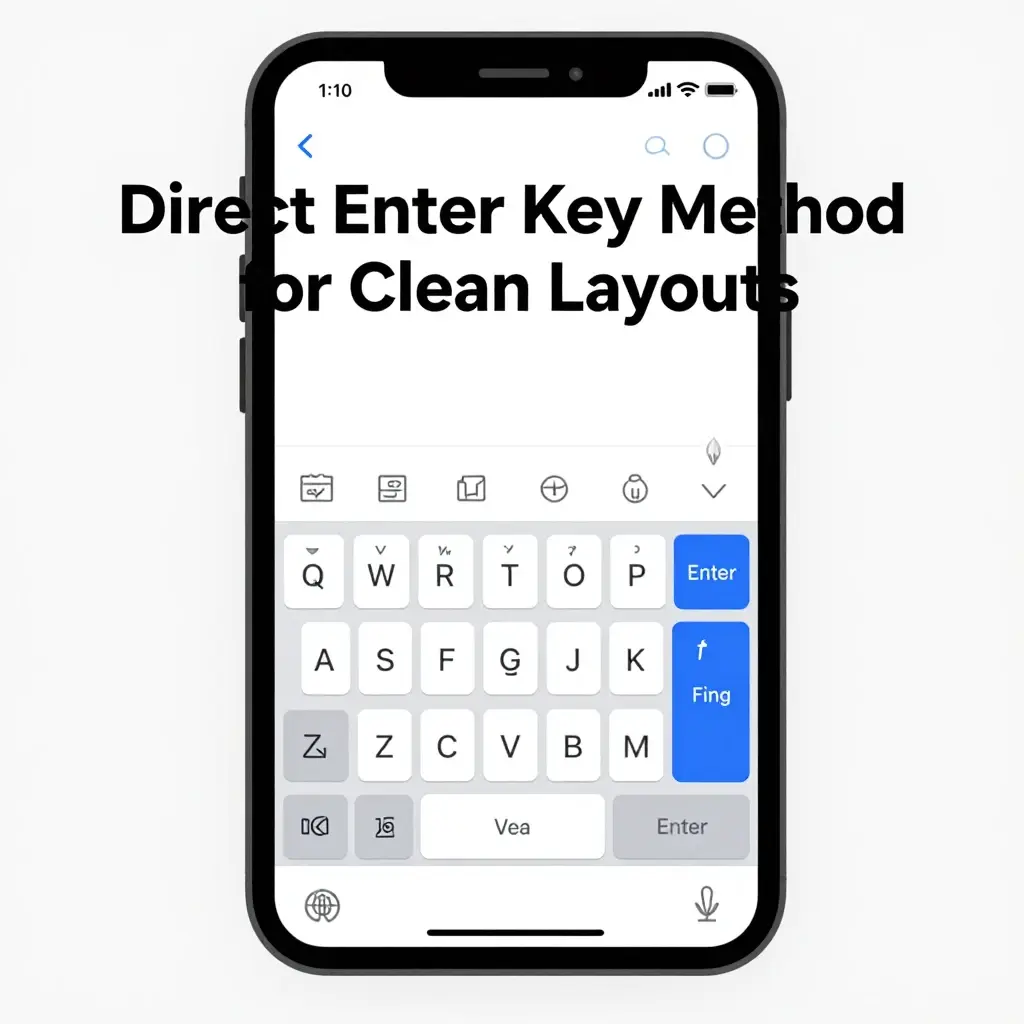
Direct Enter Key Method for Clean Layouts
- 📱 Open the official Instagram application and select the photo or video you want to publish.
- ✍️ Tap into the caption text box field to open your device’s built-in digital keyboard layout.
- 🔤 Type out your engaging opening line or hook to grab your followers’ attention instantly.
- ⌨️ Tap the button labeled Return or Enter located at the bottom-right corner of your keyboard interface.
- 🧼 Notice how the cursor automatically drops down to create a perfectly clean blank space below.
- 📝 Add your secondary body copy or structural details without typing directly against the first line.
- 🚀 Hit the publish button once your layout looks perfectly proportioned on your mobile screen.
- 🔄 Verify the uploaded draft immediately to ensure the platform preserved your layout spacing correctly.
- 📲 Note that iOS and Android interfaces handle the visibility of this button slightly differently.
- 💡 Avoid hitting the spacebar key immediately before or after tapping your keyboard’s return button.
- 🛠️ Keep your text paragraphs limited to two or three short, punchy lines for maximum scannability.
- ⚡ Remember that direct spacing works seamlessly on modern 2026 app updates across global platforms.
- 🛑 Do not add trailing emoji characters right next to the invisible line boundary marker.
- 🧩 Test a short test draft on a secondary burner profile if you feel uncertain about formatting.
- 📲 Update your local operating system if the default return option does not appear natively.
- 🎨 Utilize this natural white space to let your writing breathe and keep viewers scrolling downward.
- 📊 Studies show that broken-up text blocks achieve up to 40% higher structural engagement rates.
- 💻 Apply this same mechanical approach when formatting your primary profile biography text area.
- 🧲 Use a captivating initial phrase to pull readers past the initial truncation fold layout.
- 🔗 Combine this physical spacing approach with your top branding hashtags for clean presentation.
- 💎 Maintain visual consistency across every single piece of grid content you distribute online.
Hidden Symbol Method to Guarantee Line Breaks
- 🤫 Use external placeholder symbols if your specific mobile device constantly collapses natural paragraph breaks.
- 📍 Type your initial statement out completely and place your terminal punctuation mark carefully.
- ⌨️ Hit the return option once to drop your flashing cursor down exactly one line profile.
- 🔘 Insert a single clean period, bullet point, or dash symbol on that isolated line row.
- ↩️ Tap the return key a second time to advance down to the next text section.
- 📝 Begin typing your secondary point directly beneath that placeholder character boundary layout.
- 🕵️♀️ Realize that the small symbol acts as an anchor keeping the system from merging lines.
- 🌌 Create an elegant cascading waterfall effect by stacking three individual periods vertically in sequence.
- 🎨 Opt for unique decorative symbols like stars or minimalist dots to match your grid aesthetic.
- ❌ Never leave an invisible trailing space character sitting right behind your placeholder dot symbol.
- 📋 Keep the decorative anchors consistent across your entire multi-line caption body layout.
- 🛠️ Use this traditional approach if you manage legacy corporate pages using older publishing systems.
- 📲 Ensure your selected anchor characters do not distract readers away from your primary call.
- 💎 Keep the layout looking highly intentional rather than cluttered with random excessive punctuation.
- 🧩 Combine this bullet-anchoring system with clean lists to summarize long educational carousel data slides.
- 📉 Watch how this method prevents the frustrating text block compression bug on older Android builds.
- 🗂️ Reserve this layout choice specifically for complex lifestyle stories requiring deep structural separation.
- ⚙️ Check your post view from both mobile views and standard desktop browser layouts for safety.
- 🌪️ Hide your bulk promotional tag blocks at the bottom using five consecutive anchor dots.
- 📥 Keep your core conversational message completely clear of structural clutter near the top fold.
- 🤍 Master this classic creator shortcut to maintain total aesthetic control over every grid upload.
External Text Editor Framework for Error Free Spacing
- 📝 Launch your smartphone’s built-in Notes app or a dedicated external word processing tool first.
- 🔏 Compose your entire detailed narrative inside that neutral writing environment away from the platform.
- ⌨️ Use the absolute standard enter mechanics inside your notes app without encountering any platform restrictions.
- 📐 Arrange your aesthetic visual components, paragraph divisions, and core promotional tag blocks flawlessly.
- 📑 Double-check your spelling, punctuation flow, and character counting limits before moving anything over.
- 🖱️ Long-press the completed layout and select the global copy option from your system menu.
- 📱 Toggle back over into the active interface composer field on your social application screen.
- 📋 Paste the copied block directly into the empty description text box with a single tap.
- 🕵️♀️ Observe how the external app’s native hard returns translate perfectly into your live draft.
- 🚀 Upload the final asset confidently knowing the background code structure remains completely unbroken.
- 💾 Maintain a digital backup file of your best high-performing description frameworks inside your notes.
- 🛠️ Erase any weird hidden tracking symbols that web-based document editors sometimes introduce secretly.
- ⏳ Save creative energy by batch-authoring all your weekly descriptions ahead of schedule externally.
- 📊 Maximize your workspace by typing on a physical keyboard setup connected to your desktop device.
- 📲 Streamline your asset production workflows by using synchronized cloud-based note applications seamlessly.
- 🦺 Avoid accidental premature publishing mishaps by formatting away from the live upload screen platform.
- 🧼 Ensure your copied template does not contain accidental double-spacing artifacts between different phrases.
- 🎯 Keep your focus on storytelling quality while the external editor handles the spatial architecture.
- 💻 Use professional desktop software tools if you run high-volume agency client marketing campaigns daily.
- 🎨 Keep your visual media asset in mind while structuring the physical length of your note copy.
- 💎 Build clean, reusable text templates that you can instantly customize for quick daily updates.
Desktop Browser Formatting Strategies
- 💻 Log directly into your profile platform account using a standard web browser on your computer.
- 🖱️ Navigate to the create button located on your sidebar interface to initialize an upload sequence.
- 🖼️ Drag and drop your chosen creative media asset directly into the browser display window panel.
- ⌨️ Hold down the Shift key while simultaneously pressing Enter to guarantee a flawless line break code.
- 🧠 Realize that simply pressing enter alone on certain web frameworks can trigger an accidental submission.
- 🖨️ Type out your full, detailed thought pieces comfortably using a full-sized desktop hardware keyboard setup.
- 🧼 Notice how desktop composer modules provide a wider field of view for editing text blocks.
- 📊 Track your visual line lengths accurately to prevent awkward word wrapping on mobile display screens.
- 🔍 Review your overall paragraph structure from a wider, more holistic layout perspective before publishing.
- 🗂️ Copy high-converting website messaging directly into your social channel post boxes without formatting losses.
- 🛠️ Use Chrome or Safari developer extensions to preview how your spatial layout maps to smartphones.
- 🎛️ Maintain distinct separation between your creative body paragraphs and your strategic metadata tag blocks.
- 🛑 Watch out for web browser autofill settings that might accidentally distort your spacing layout templates.
- ⚡ Speed up your creative community management tasks by responding to feedback using desktop entry workflows.
- 🗃️ Keep multiple browser tabs organized when cross-posting synchronized marketing materials across different channels.
- 🧩 Ensure your desktop emojis translate clearly onto mobile interfaces without turning into broken boxes.
- 📉 Reduce mobile eye strain by executing your heavy copywriting work on high-resolution external monitors.
- 🛡️ Protect your account security by clearing browser cache data when using shared computer workstations.
- 📝 Edit existing posted descriptions smoothly using web interface drop-down setting modules when necessary.
- 🚀 Achieve pristine spacing layouts that match professional editorial standards without using third-party apps.
- 💎 Elevate your brand perception by treating your social descriptions with professional corporate publishing care.
Keyboard Shortcuts for Smooth Spacing Transitions
- ⚡ Learn the specific finger patterns required to toggle hidden symbols on your phone keyboard.
- 📱 Tap the numerical swap key on your iPhone setup to find the hidden return button variant.
- 🤖 Configure your customizable Android keyboard settings to pin the enter key permanently in place.
- 🎙️ Voice-dictate your thought streams and speak the literal command words ‘new line’ out loud clearly.
- 🗣️ Watch the system convert your spoken speech commands into visual paragraph breaks instantly.
- 🔀 Map custom text replacement phrases in your device settings to generate multi-spaced line configurations.
- ⌨️ Create a shorthand code like ‘cspace’ that expands automatically into three perfectly spaced dots.
- 🏃♀️ Trim down your mobile editing time by keeping your favorite spacing shortcuts active continuously.
- 🧼 Keep your physical touch targets clear to prevent inputting accidental typos during rapid entry sequences.
- 📲 Practice transitioning smoothly between alphabet entry views and character option panes during drafting.
- ⚙️ Disable aggressive auto-correct parameters that modify word endings right before line break points.
- 🔋 Keep your digital keyboard software updated to minimize lag when processing quick line advancements.
- 🛡️ Use secure, trusted first-party keyboard engines to protect your personal account login credentials safely.
- 🎨 Tailor your keyboard theme layout to make functional keys highly visible in dark environments.
- 🧩 Master your layout mechanics so thoroughly that formatting beautiful text spacing becomes pure muscle memory.
- 📈 Maintain a rapid publishing pace during high-traffic live events without sacrificing your clean aesthetic look.
- 🗂️ Sync your custom text replacement dictionaries across all your active mobile tablets and smartphones.
- 🔎 Double-check that your shortcut expansions do not insert strange hidden trailing formatting spaces accidentally.
- 🏷️ Keep your favorite hashtag groupings saved under quick-typing keyboard shortcut phrases for instant recall.
- 🎯 Standardize your writing layout workflow so you can focus entirely on craft over mechanical issues.
- 💎 Let smooth execution mechanics translate directly into higher output and pristine visual feed grids.
App Version Troubleshooting for Collapsed Captions
- 🔄 Force-close your application immediately if your paragraph divisions suddenly vanish upon final publication.
- 📥 Navigate to your native device app store to verify you run the newest 2026 build.
- 🧼 Clear your application internal cache data files to remove temporary code glitch fragments safely.
- 🗑️ Uninstall and completely reinstall the platform software if persistent spacing bugs continue blocking layouts.
- 🕵️♀️ Understand that localized app updates occasionally break older formatting conventions unexpectedly during rollouts.
- 📱 Test if the layout issue is isolated to a single handheld device or your entire account.
- 🗃️ Review known platform bug tracking forums online to check if global server issues are occurring.
- 🛑 Avoid using unauthorized, shady account wrapper apps that promise advanced formatting tricks but steal data.
- ⚙️ Check your smartphone background app refresh permissions to ensure updates install seamlessly overnight automatically.
- 🧩 Recognize that beta tester program builds frequently exhibit formatting quirks that standard versions avoid.
- 🔋 Ensure your phone is not stuck in ultra energy-saving mode which can limit app feature code.
- 🛡️ Keep your account login data written down securely before executing full software clean reinstalls.
- 📈 Maintain a flexible backup formatting plan using hidden anchor symbols if core app code acts unstable.
- 🖥️ Try editing the specific broken post from a desktop machine to fix compression bugs manually.
- 🔍 Monitor how your text looks across multiple alternate operating systems by checking friends’ feeds carefully.
- 📉 Realize that text styling options can vary slightly depending on your precise geographic region setting.
- 🎛️ Report persistent layout bugs directly to platform support teams through internal settings feedback windows.
- 🚀 Keep calm when updates alter systems; there is always a reliable technical formatting workaround available.
- 📝 Draft critical brand announcements with basic safe spacing patterns during major platform transition periods.
- 🌟 Ensure your hard work shines clearly by keeping your digital tools running in top condition.
- 💎 Stay ahead of unexpected tech bugs by building resilient, platform-agnostic content production habits daily.
Bio Layout Rules vs Caption Formatting Patterns
- 🗂️ Recognize that your primary profile biography field operates on tighter character limit frameworks than posts.
- 📐 Maximize your biography’s precious 150-character limit by avoiding massive vertical white space wasting layouts.
- ⌨️ Use the web browser login trick to paste complex multi-line bio structures without system compression.
- 🏷️ Keep your external link landing fields completely distinct from your bio’s vertical text lines.
- 🎨 Craft a scannable, vertically stacked value proposition using relevant emojis as custom bullet points.
- 📝 Use your caption space for expansive storytelling while keeping your main profile description crisp.
- 🛑 Remember that excessive line drops in a bio can push your critical link down off-screen.
- 🔮 Match the overall stylistic voice of your bio across all individual post spacing systems.
- 💎 Treat your bio area like a formal digital business card and your captions like conversations.
- 🔍 Ensure your bio line breaks align perfectly with your profile picture layout boundaries.
- 🛠️ Use direct, punchy copy inside your profile bio to drive immediate link clicks efficiently.
- 📲 Keep your contact button labels clean by not letting bio text overlap their section boundaries.
- 📈 Check your profile layout look on both miniature phone screens and giant tablet displays regularly.
- ⚡ Update your bio structure occasionally to reflect seasonal branding shifts or fresh campaign rollouts.
- 🛡️ Avoid putting your primary brand hashtags on separate blank lines in your bio to save space.
- 🎨 Let your personality display instantly through custom-spaced vertical interest lists on your main page.
- ⚙️ Realize that bios do not support hidden dot-anchoring styles elegantly; keep them purely text-clean.
- 📥 Guide profile visitors down your conversion funnel using strategic downward-pointing hand emojis dynamically.
- 🌟 Balance clean structural spacing with clear informational delivery on your primary brand landing view.
- 💭 Keep user experience top of mind when designing any layout area across your channel asset.
- 💎 Polished formatting builds immediate authority and trust with fresh profile discovery traffic every day.
Copywriting Frameworks That Benefit From White Space
- 📰 Apply the classic hook, body, and call-to-action storytelling path using distinct physical space sections.
- 🧲 Place your high-converting hook at the very top, isolated completely by a clean space below.
- 🧠 Give complex educational concepts room to breathe so your audience digests information without fatigue.
- 🛒 Separate special pricing details and promo codes from your standard conversational text block neatly.
- 📣 Highlight client testimonial quotes by framing them inside individual clean whitespace islands dynamically.
- 📝 Structure step-by-step recipe guides or workout plans using clear numbered vertical line items.
- 🎁 Make community giveaway contest entry rules obvious by isolating instructions from background story details.
- 🎭 Build dramatic tension within a personal narrative by using a single-word line drop effect.
- 📊 Increase click-through rates on your bio link by surrounding your final request with white space.
- 🧠 Keep your tone relatable and human by matching paragraph breaks to natural speaking pauses.
- 📉 Prevent scrolling users from glancing past your message due to intimidating walls of dense text.
- 🌟 Elevate the premium perception of your brand by employing minimalist, spacious layout design principles.
- 🎨 Let each distinct value proposition stand alone to command full individual reader attention fields.
- 🛠️ Use short lines to guide eye movement downward along your copy track effortlessly.
- ⏱️ Respect your audience’s digital attention span by organizing details into highly scannable clusters.
- 🚀 Turn casual scrollers into engaged readers through clean, professional presentation layouts that look inviting.
- 💬 Encourage longer comment section discussions by making your initial text clean and easy to read.
- 🛡️ Avoid confusing readers by mixing completely unrelated ideas within a single unspaced text group.
- 📝 Keep your copy tight, focused, and beautifully framed within the mobile viewport layout space.
- 💎 Great design formatting elevates mediocre writing, while terrible layout design ruins exceptional copy compositions.
- ✨ Transform your standard grid text into a powerful, high-converting marketing asset through spatial mastery.
Emoji Placement Strategies Near Line Breaks
- 🎨 Insert your engaging emojis at the very front of lines to act as custom bullets.
- 🛑 Avoid placing a lone emoji directly on a line break boundary row without text support.
- 🧼 Ensure a clean space exists between your text character and the adjacent emoji graphics icon.
- 🔮 Select icons that actively reinforce the specific semantic meaning of the text block below.
- 📉 Keep your overall emoji count limited to two per paragraph block to maintain professional polish.
- 🇺🇸 Match your visual color accents to your current grid media asset’s color palette.
- ⚡ Use bold arrow icons to visually direct reader eyes down across structural spacing voids.
- 🛠️ Test if your custom icons display cleanly across both dark mode and light mode interfaces.
- 📱 Prevent emojis from pushing text words down onto awkward, single-letter secondary layout lines.
- 🔍 Check that your selected symbols translate clearly to older device screens without breaking down.
- 👑 Keep your aesthetic styling minimal, elegant, and perfectly aligned with your core niche audience.
- 🚫 Never crowd your opening headline hook with an excessive cluster of flashing visual graphics.
- 🎭 Express your current mood state subtly using classic face emojis placed cleanly at line ends.
- 📥 Group your contextual branding tags below a protective barrier of clean space and minimal icons.
- 💎 Treat graphic symbols as structural design accents rather than complete replacements for actual words.
- 📈 Watch your post engagement climb when visual icons complement well-spaced, highly readable copy blocks.
- ⚙️ Avoid using rare, newly released system emojis that your followers’ phones cannot render yet.
- 🌈 Maintain a unified, branded look by sticking to a signature set of five chosen emojis.
- 📝 Keep your writing clear, your spacing candy crisp, and your icon choices highly intentional throughout.
- 🚀 Let smart visual layouts guide your community deeper into your conversational brand universe smoothly.
- 💎 Polished formatting shows your audience that you value quality across every tiny digital detail.
Hidden Pitfalls of Over-Spacing Your Text
- 🛑 Avoid creating massive, empty chasms that require users to scroll endlessly to find your link.
- 📉 Realize that excessive white space can break the natural narrative momentum of your storytelling framework.
- 👥 Keep your content looking authentic rather than resembling spammy, hyper-optimized sales letters online.
- 📱 Remember that extreme line spacing shifts look wildly distorted on smaller mobile smartphone viewports.
- 🔍 Monitor your analytics to ensure high line drops are not hurting your total caption read-through ratios.
- 🛠️ Balance visual style constraints with real, high-value informational delivery across your description fields.
- 🚫 Do not let your core community call-to-action get buried too far down beneath structural voids.
- 🧠 Understand that Gen Z audiences spot over-engineered engagement bait layout tactics instantly from afar.
- 🏛️ Maintain editorial integrity by using structural space to organize thoughts, not just manipulate algorithms.
- 📝 Keep your paragraph drops limited to what is naturally required to separate distinct topical themes.
- 🎨 Ensure your layout choices look beautiful when viewed inside compressed search discovery preview grids.
- ⏳ Save your audience’s time by delivering high-impact points quickly without unnecessary structural delay patterns.
- ⚙️ Check that automated screen-reading accessibility tools can parse your spaced blocks without glitching out.
- 📁 Keep your primary keyword targets positioned safely within the first two visible lines always.
- 📉 Prevent reader annoyance by avoiding the cheesy ‘one sentence per line’ trick continuously.
- 🛡️ Protect your professional reputation by keeping your layout clean, balanced, and structurally purposeful.
- ⚡ Let the true quality of your insights do the heavy lifting alongside clean spatial framing choices.
- 🗂️ Audit your older high-performing content to identify your profile’s optimal line length sweet spot.
- 🎯 Stay grounded in real human communication goals rather than chasing every temporary formatting gimmick.
- 🔮 Adjust your approach dynamically based on direct performance feedback metrics from your core tribe.
- 💎 True style means knowing exactly when to add space and exactly when to keep text tight.
Hashtag Nesting and Spatial Separation
- 🏷️ Isolate your strategic marketing hashtags completely from your primary conversational reading body copy text.
- 🌌 Create a deep visual buffer zone using five consecutive vertical lines containing clean period anchors.
- 📥 Drop your tags at the absolute bottom of the layout structure to keep them hidden.
- 🕵️♀️ Ensure your discovery search phrases work in the background without cluttering up your clean aesthetic.
- ❌ Never intersperse dozens of blue tag links directly inside the middle of your core sentences.
- 🧼 Keep your reading space pristine so users can focus entirely on your personal message theme.
- 📊 Maximize search optimization potential while maintaining a luxury brand look across your profile grid.
- 🛠️ Group your high-volume niche tags into a clean, compact block format at the absolute end.
- 🛑 Avoid using more than ten highly targeted tags to keep your page safe from spam filters.
- 🧠 Realize that modern 2026 search engines find your content via keyword context, not just tags.
- 🎯 Place your most critical branded tag directly alongside your main hook if it matters strategically.
- 📉 Prevent your copy from looking desperate or cluttered by sweeping metadata under the virtual rug.
- 🔮 Keep your hashtag blocks saved in an external organizer app for fast, clean copy-paste deployment.
- 📱 Verify that your nested tag blocks do not show up above the initial fold view line.
- ⚙️ Standardize your tag nesting system across your entire weekly content publication calendar grid.
- 🧼 Let clean white space act as the divider that separates editorial art from search engine marketing data.
- 🔍 Review competitor profiles to see how top creators elegantly disguise their metadata visibility layouts.
- ⚡ Speed up user reading times by keeping all tracking markers completely out of their direct sight.
- 🎛️ Maintain total control over your presentation aesthetics by treating formatting as a core design pillar.
- 🚀 Combine smart spatial nesting with deep keyword research to rank high in organic search fields.
- 💎 Clean presentation signals premium authority, driving higher follower conversion metrics over time consistently.
Storytelling Formats That Drive Dwell Time
- 📖 Use a riveting three-part story setup framed by clean paragraph lines to capture users.
- 🧲 Hook the scroller with an audacious or highly vulnerable opening line dropped entirely by itself.
- 🧠 Deliver your core intellectual value bombs in distinct, bite-sized vertical segments that read easily.
- 📉 Keep sentences under fifteen words each to maximize rapid scrolling comprehension on mobile screens.
- 🎨 Use physical paragraph gaps to indicate shifts in time, setting, or emotional state beautifully.
- 💬 Ask a targeted, highly relatable question at the end, isolated by a generous line break.
- 🛠️ Structure educational tutorial guides using clean vertical bullet points that solve problems fast.
- 🎭 Share behind-the-scenes brand secrets using an intimate, diary-style layout with spacious formatting.
- 📊 Watch your user dwell time metrics increase as readers slide down your clean layout smoothly.
- 🌟 Treat your text description as a premium mini-blog post that accompanies your stunning visual media.
- 🛑 Avoid complex jargon blocks that force readers to stop and re-read dense paragraphs repeatedly.
- 📲 Optimize your content layout specifically for the fast-paced reading habits of modern mobile users.
- ⚡ Build deep personal connections by letting your true human voice shine through clear, spacious lines.
- 🗃️ Keep your story themes highly focused on a single key takeaway per upload event.
- 🔍 Preview your text flow aloud to ensure the paragraph breaks feel natural to a listener.
- 📈 Turn high dwell time metrics into direct algorithmic boosts that expand your total organic reach.
- 🛡️ Avoid rambling narratives that lack a clear destination or structural organization pattern.
- 📥 Guide your community along a curated journey that leads logically to your bio link.
- 🎨 Let text design work hand-in-hand with your creative photography to deliver an unforgettable vibe.
- 🚀 Stand out in a sea of messy, unformatted captions by presenting pristine editorial excellence daily.
- 💎 Your words hold immense power; give them the clean visual space they deserve to shine.
Accessibility and Screen Reader Compatibility Patterns
- ♿ Design your spatial layouts with universal accessibility principles in mind for all global users.
- 🗣️ Understand that text-to-speech screen readers vocalize every single individual period anchor dot you stack.
- 🛑 Avoid stacking ten periods vertically as it forces impaired users to listen to ‘dot, dot, dot’ repeatedly.
- 🧼 Use clean native enter key returns instead of punctuation anchors to protect the listener experience.
- 🧠 Keep your emoji groupings limited so screen readers do not rattle off long strings of symbol descriptions.
- 📝 Place vital conversational context text near the top before introducing complex design formatting elements.
- 🔍 Ensure your capitalization patterns remain standard so automated translation software interprets words correctly.
- ❌ Never use weird custom font generators that render text as unreadable mathematical symbols for screen readers.
- 🛠️ Write out clear, descriptive image alt-text in your advanced settings panel alongside your spacing work.
- 🎨 Make your information accessible to everyone in your community regardless of their physical abilities.
- 📱 Test how accessibility software handles your description layouts by enabling your phone’s native reader.
- 💎 True inclusivity elevates your brand status and builds a deeply loyal, diverse audience base.
- 📊 Align your corporate social responsibility metrics with practical everyday content formatting choices cleanly.
- ⚙️ Keep abreast of updated digital accessibility guidelines across all major social media platform systems.
- 🧼 Let clean, natural white space serve both your visual aesthetic goals and accessibility needs perfectly.
- 📉 Reduce digital barriers for neurodivergent followers by organizing data into clear, spacious segments.
- 🛡️ Protect your brand from public call-outs by maintaining high formatting standards across all channels.
- ⚡ Realize that clean typography benefits every single human who interacts with your digital profile.
- 📝 Keep things simple, beautifully spaced, and completely readable for the widest possible demographic view.
- 🚀 Lead your industry by demonstrating that high-fashion aesthetics and total accessibility can coexist seamlessly.
- 💎 Complete excellence means caring about the user experience of every single follower in your ecosystem.
Character Count Management for Long Form Captions
- 📊 Keep your total written length strictly below the platform’s hard 2,200 character count limit marker.
- 🧮 Count your paragraph line return breaks as actual characters within the system’s background code.
- 📉 Realize that massive spacing layouts eat into your available word real estate budget significantly.
- 🔍 Use a character counter tool inside your note editor app to track length precision accurately.
- 🛠️ Trim out unnecessary filler phrases to make room for clean, spacious paragraph divisions.
- 🛑 Never let your writing get cut off mid-sentence due to hitting the system boundary wall.
- 📝 Keep your message highly concentrated, high-impact, and beautifully structured within your limits.
- 🧠 Edit your first drafts ruthlessly to maximize the power of every line drop you include.
- 🎨 Prioritize spacious scannability over long, rambling background stories that lose reader interest fast.
- 📥 Move excessive secondary data points into a text graphic slide inside your main post carousel.
- ⚙️ Budget your character counts carefully when planning complex multi-line giveaway contest promotions.
- 🚀 Deliver maximum emotional punch using minimal, well-spaced phrases that dominate screen viewports.
- 📲 Ensure your final call-to-action fits comfortably without being clipped by system limitations.
- 💎 Master the balance between deep value delivery and crisp, spacious visual execution metrics.
- 📁 Save character count space by condensing long URLs into clean, recognizable custom link shorteners.
- 📉 Watch your engagement metrics thrive when you deliver concise thoughts wrapped in elegant layout frames.
- 🛡️ Avoid the stress of last-minute upload errors by tracking character limits during draft phases.
- ⚡ Make every single letter count toward building authority, trust, and community alignment daily.
- 📝 Format with intention, edit with discipline, and publish with total creative confidence every time.
- 🌟 Let constraints boost your creativity by forcing you to write the tightest copy possible.
- 💎 Absolute precision in formatting creates an elite brand image that words alone cannot achieve.
- 💎 Polished formatting builds immediate authority and trust with fresh profile discovery traffic every day.
Team Collaboration Frameworks for Proofing Layouts
- 👥 Share collaborative cloud documents with your creative team to review caption layouts before scheduling.
- 🖥️ Assign a designated team editor to check that all line breaks preserve perfectly across devices.
- 🛠️ Establish a standardized style guide document that defines precise spacing rules for your brand.
- 📦 Use professional social media management dashboards that support native visual preview tools accurately.
- 📋 Cross-check drafts across both iOS and Android employee phones to catch localized compression errors.
- ⏳ Batch your copy layout production sequences during dedicated weekly creative marketing syncs.
- 🛑 Avoid last-minute formatting arguments by locking in text layouts 24 hours prior to launch.
- 🎨 Keep your visual designers and copywriters aligned on the physical length of grid descriptions.
- 📝 Use shared comment threads to polish hooks and refine your structural call-to-action placements.
- 📈 Track which layout styles drive the highest client conversion metrics using shared team sheets.
- ⚙️ Onboard fresh intern creators quickly by using pre-spaced, plug-and-play description templates.
- 🛡️ Protect brand consistency by requiring final approval on all vertical spacing designs before publishing.
- ⚡ Streamline your asset review workflows to eliminate friction between copy creation and final upload.
- 🗃️ Store high-performing description frameworks in a central digital library for easy future access.
- 🔍 Review layout formatting quality during monthly marketing retrospective analytics analysis meetings.
- 📉 Minimize communication slip-ups by using clear, descriptive visual markup notes during review cycles.
- 🤝 Build a culture of meticulous attention to detail across every tiny aspect of digital publishing.
- 🚀 Deliver world-class creative work for agency clients by mastering technical execution patterns flawlessly.
- 📝 Keep your team focused on excellence, clarity, and trend-forward aesthetic design sensibilities continuously.
- 🌟 Let seamless collaboration behind the scenes manifest as pristine, viral feeds on live screens.
- 💎 High-performing teams know that technical execution is just as critical as conceptual brilliance.
Global Audience Formatting Considerations
- 🌍 Keep your line lengths flexible to accommodate followers using varied device screen scaling configurations.
- 🔤 Realize that translated text blocks can expand significantly, altering your intended spacing proportions.
- 🧠 Use universal visual layout structures that look clean across multiple cultural aesthetic viewpoints.
- 🛑 Avoid hyper-localized slang terms inside critical text areas that could confuse international discoverers.
- 🧼 Maintain pristine, clean paragraph splits to assist non-native English speakers with reading speed.
- 🗺️ Monitor your global insights data to see exactly where your main reader clusters reside.
- 🎨 Choose universally understood emojis to accent your spatial break points across cultural lines.
- 📈 Structure global brand announcements with clear, unmistakable informational hierarchy boundaries using space.
- ⏱️ Plan your publishing time drops to hit key international time zone traffic peaks perfectly.
- 🛡️ Ensure your nested hashtag strategy includes relevant global discovery phrases alongside regional ones.
- ⚙️ Test layout appearances on popular international smartphone models that feature unique display ratios.
- 📝 Keep your geographic sentences direct, impactful, and beautifully separated to appeal to a fast-moving global feed.
- 💎 True cross-cultural appeal requires clean, professional presentation standards that transcend language barriers.
- 🔍 Trace your international follower growth metrics to validate your clean layout formatting upgrades over time.
- 🚀 Expand your personal brand influence worldwide by treating your social feed like an international digital magazine.
- 💬 Encourage global dialogue by keeping your question blocks incredibly easy to read and find.
- 🎨 Let elegant white space act as a universal language that communicates premium quality everywhere instantly.
- 🗂️ Adapt your structural styling approach dynamically as international consumer attention shifts evolve globally.
- 🌟 Position your brand at the absolute forefront of digital media design by maintaining flawless standards.
- 💭 Keep a global perspective active in your mind during every single copy production workflow.
- 💎 Pristine formatting choices establish cross-border authority and respect from your very first upload.
Editing Existing Captions Without Losing Breaks
- 🛠️ Tap the three-dot options icon on your active post to enter edit mode safely.
- 📝 Make your crucial text corrections or typo fixes without touching the surrounding blank lines.
- 🛑 Avoid hitting the backspace key near your existing paragraph breaks to prevent layout collapses.
- 📱 Use extreme care when modifying copy fields using the miniature mobile editing screen view.
- 🔄 Save your adjustments and immediately refresh your grid profile view to verify the layout integrity.
- 💻 Opt for desktop browser editing workflows if you need to execute heavy structural text overhauls.
- 🧼 Keep your visual presentation pristine even when updating older context or updating dead links.
- 🔍 Monitor your comment threads post-edit to ensure no hidden formatting bugs emerged unexpectedly.
- ⚙️ Realize that editing within the first hour of posting no longer hurts your organic reach metrics.
- 📋 Keep a copy of your original clean draft safe in your notes app before starting edits.
- 📉 Prevent accidental compression errors by avoiding the addition of massive new text blocks during edits.
- 🛡️ Protect your post’s engagement momentum by fixing broken formatting layout issues as quickly as possible.
- ⚡ Speed up your corrections by using pre-saved text fragments from your device shortcut dictionary.
- 🎨 Ensure your updated copy aligns perfectly with the visual media asset’s permanent aesthetic vibe.
- 🗃️ Log structural editing patterns to identify why initial layouts broke down in the first place.
- 🚀 Maintain a flawless digital storefront by keeping every historical description perfectly spaced and polished.
- 📝 Keep your edits brief, targeted, and completely respectful of your established visual line architecture.
- 🌟 Let flawless maintenance of your feed reflect your deep commitment to premium content delivery standards.
- 🎯 Turn editing tasks into quick, routine maintenance habits that preserve your grid’s upscale presentation.
- 💭 Keep your community’s reading comfort top-of-mind during every post-launch adjustment sequence.
- 💎 True professionalism shows in the meticulous care you apply long after the initial publish button is pressed.
FAQs:
1: Why do my Instagram caption line breaks disappear after I post?
A: Line breaks usually disappear because of hidden trailing spaces at the end of a paragraph or because your mobile app is outdated. The platform’s automated code compresses text blocks to save screen space if it detects irregular formatting behavior or empty space characters immediately following punctuation.
2: Do I still need to use dots or symbols for line spaces?
A: No, modern application updates natively support direct line returns without requiring symbols like periods or dashes. However, if you are using third-party scheduling tools or older mobile devices, using minimalist symbols remains a foolproof way to lock your formatting in place.
3: How do I use the return key on an iPhone for Instagram?
A: To access the return key on an iPhone inside the app, tap the 123 or ABC key to toggle your keyboard layout view. The return button will appear in the bottom right corner, allowing you to drop down lines directly without leaving the application interface.
4: Will editing a caption ruin my line breaks?
A: Editing a post can sometimes cause your text paragraphs to collapse if you aren’t careful. To prevent this, avoid using the backspace key near the edges of your paragraph breaks, or copy your text into an external notes app, fix the copy there, and paste it back into the editor.
5: Can line spacing improve my Instagram engagement rates?
A: Yes, clear line spacing drastically increases your content’s scannability and reader dwell time. When users spend more time expanding and reading through an organized, visually appealing layout, the platform’s algorithm flags the post as high-value, boosting its organic reach.
6: What is the maximum character limit for an Instagram caption?
A: The hard limit is 2,200 characters per post. It is important to keep in mind that every single line break, space, and emoji counts as a character within this budget, so long-form storytellers need to balance descriptive text with white space formatting.
Conclusion:
how to enter on instagram caption Mastering the mechanics of text layout structure is a game-changing skill for anyone looking to build a premium, highly engaged social media presence today.
By choosing the right paragraph alignment method whether through direct native keyboard returns, hidden symbol anchors, or external editing apps you transform messy blocks of text into elegant, readable stories that captivate your audience’s attention.
Clean presentation directly reflects your brand’s authority, drives longer dwell times, and ensures your call-to-action stands out clearly.
Don’t let technical glitches compromise your creative expression.
Implement these formatting strategies on your next upload to design a gorgeous feed grid layout that converts casual scrollers into lifelong fans.
Ready to level up your entire digital strategy?
Select your favorite workflow from this guide, apply it to your current content calendar, and watch your community interactions soar.
Make sure to bookmark this comprehensive layout manual so you can always maintain flawless presentation standards across every single post you publish!

Charlotte Young is a creative content writer and digital storyteller who specializes in crafting engaging captions that bring social media posts to life. With a deep understanding of trends, emotions, and audience engagement, she creates powerful caption ideas for Instagram, TikTok, and modern content platforms.